 HopTab
The workspace manager macOS should've shipped with.
One keystroke and your whole workspace rearranges itself — apps, windows, layout. Snap, tile, and switch from the keyboard. Then let HopTab run it for you.
Everything HopTab does
One menu-bar app- 17 snap directions — halves, thirds, two-thirds, quarters, max, center
- Same-direction size cycling + two-key universal cycle
- Drag-to-snap with a live preview overlay
- Throw windows between monitors
- Layout templates + a custom layout editor
- Per-snap undo · configurable gaps
- Pinned-app switcher — Option+Tab cycles only your apps
- Profiles per workflow: apps, layout, hotkey, sticky note
- Space-aware auto-switching as you swipe desktops
- Session save & restore, display-aware
- Space-aware window picker
- 3 profiles free, unlimited PRO
- Calendar auto-switch + fullscreen meeting reminders
- Detects Zoom / Teams / Meet links, one-click Join
- Time-based scheduling with day-of-week filters
- Maps macOS Focus modes to profiles
- Display / dock auto-profiles
- Unlimited window rules (auto-snap on launch)
- Time tracking per profile, zero effort
- Pomodoro on a calendar event — time logs back to it NEW
- Focus sessions with gentle off-profile nudges
- Per-app usage budgets
- Screen-break reminders
- Multi-level window undo
- Lives in the menu bar, no Dock icon
- Universal — Apple Silicon + Intel
- Every shortcut is configurable
- Free & open source (MIT)
- No telemetry, no tracking, ever
- No App Sandbox — nothing hidden from you
- $5 once, no subscription
- Free Pro for students & anyone who asks
Features
Free core, in depthFocused App Switching
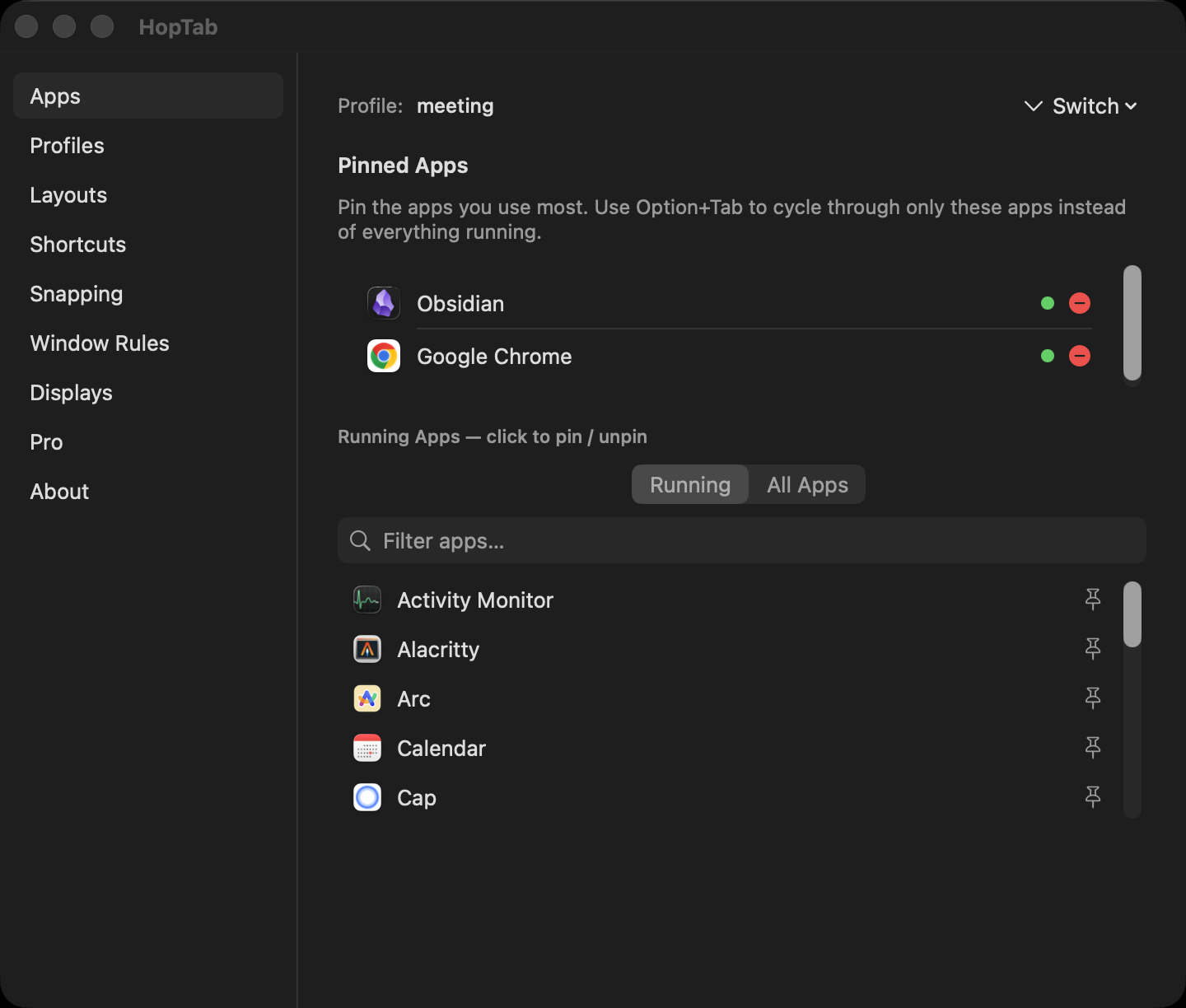
Pin only the apps you care about. Press Option+Tab to cycle through your pinned list — not the 20 random apps macOS shows. Release to switch, Escape to cancel.
Click to switch works too. Cmd+Q/H/M while the switcher is open to quit, hide, or minimize the highlighted app.
Window Tiling
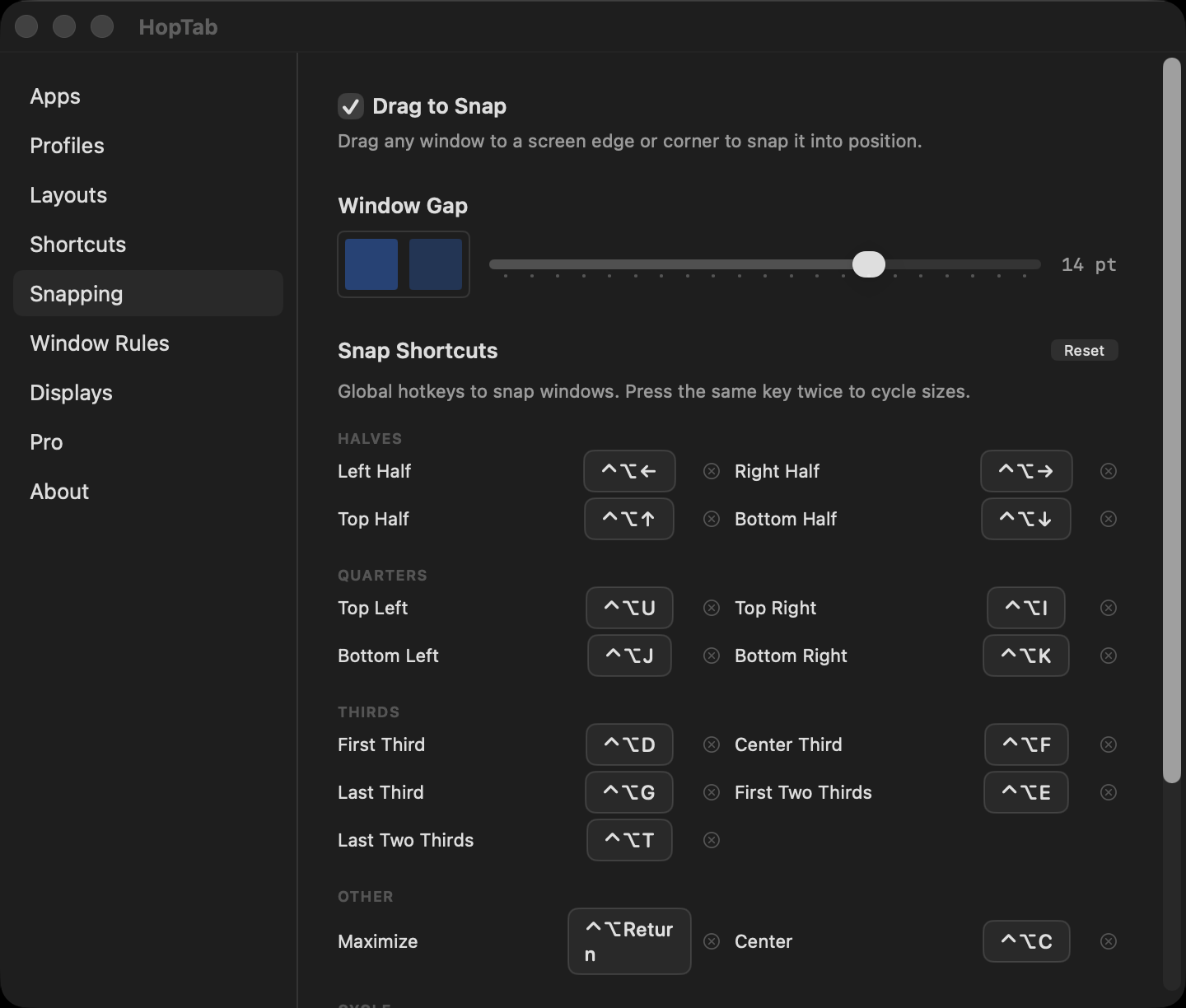
Global keyboard shortcuts snap any window to halves, thirds, quarters, or fullscreen. Works anytime — no switcher needed.
Press the same direction again to cycle sizes: ½ → ⅓ → ⅔. Or use universal cycle shortcuts to step through all 15 positions with just two keys. Undo any snap instantly.
Drag-to-Snap: Drag any window to a screen edge or corner to snap it. A translucent preview overlay shows the target zone. Edges snap to halves (or maximize/bottom), corners snap to quarters. Toggle on/off in Settings → Snapping.
Layout Templates
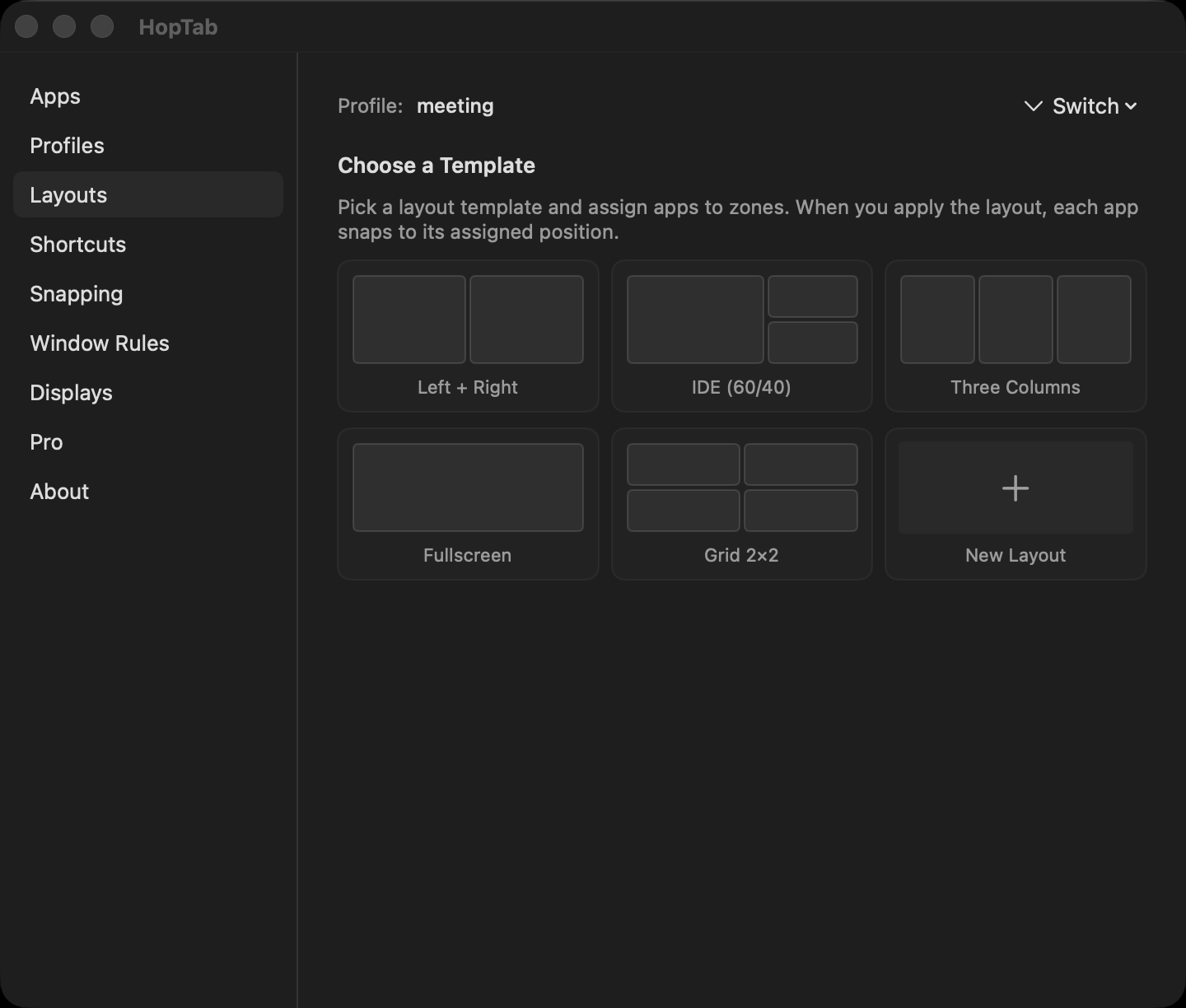
Five built-in layouts plus a custom layout editor. Split zones, use presets, or build your own from scratch — perfect for rotated monitors and non-standard setups.
Works with stubborn apps — Chrome, Zed, Wezterm, Electron. Multi-retry positioning with dual strategies for GPU-rendered windows.
Profiles
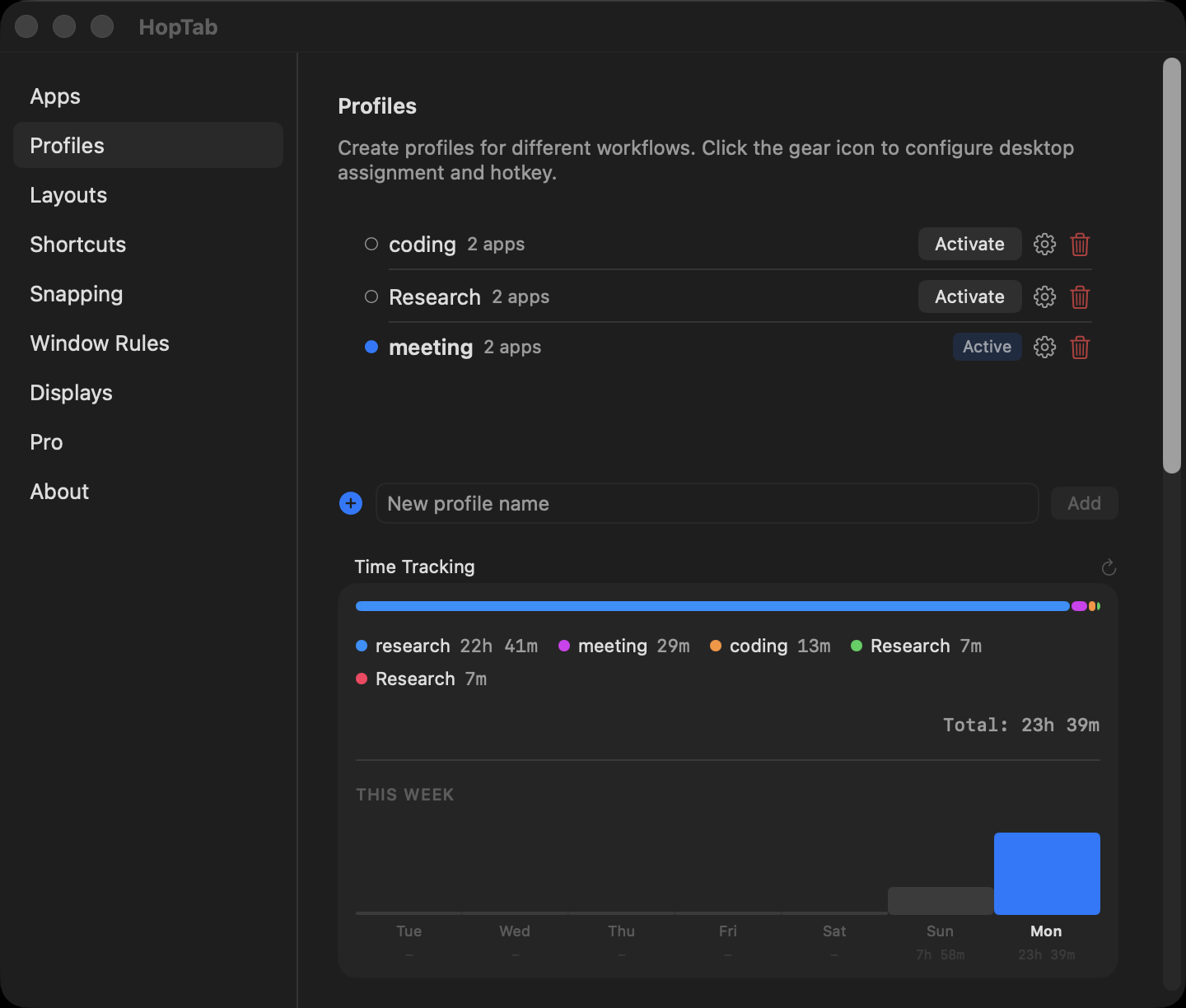
Create profiles for different workflows — Coding, Design, Research. Each profile has its own pinned apps, layout, hotkey, and sticky note.
Assign profiles to macOS Spaces. Swipe between desktops and HopTab auto-switches the active profile. Save and restore full window sessions per profile.
Fully Customizable
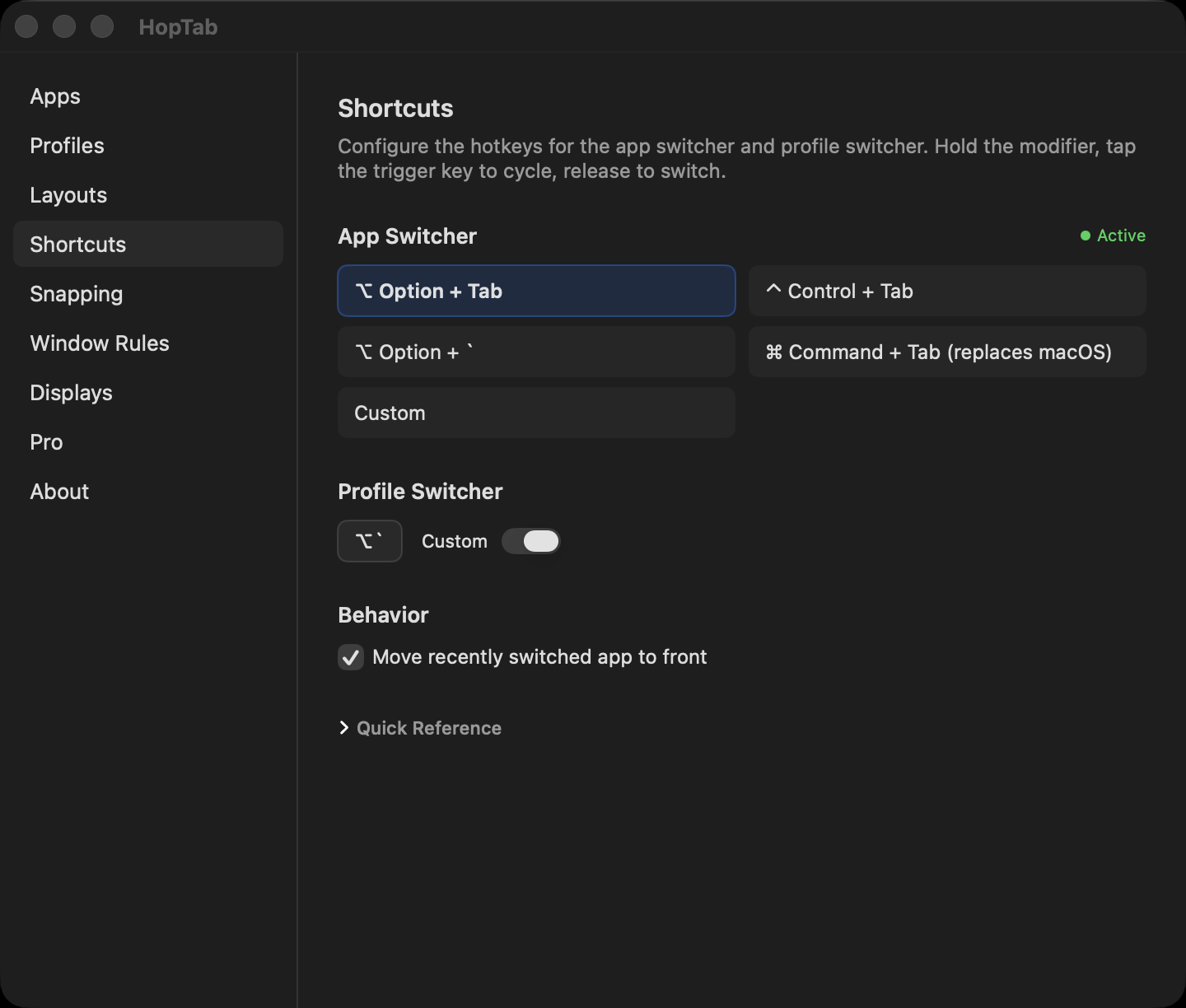
Every shortcut is configurable. The app switcher hotkey, profile switcher, all 17 snap directions, per-profile hotkeys — record whatever combo you want.
Want to replace macOS Cmd+Tab entirely? One-click preset. Supports Option, Control, Command, and any key. HyperKey compatible.
Window Rules
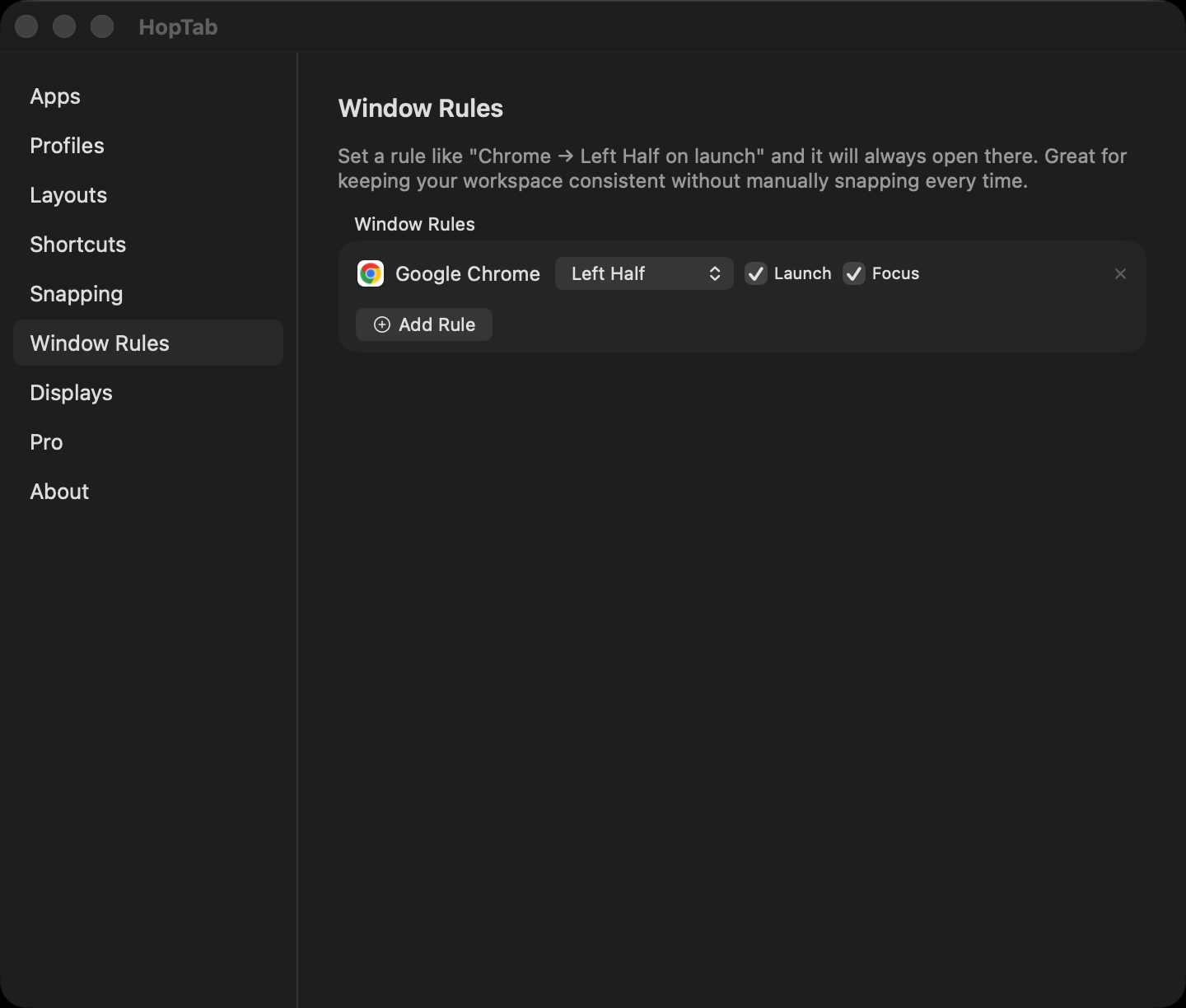
Set persistent rules like “Chrome always snaps to left half on launch.” Define it once, and every time that app opens or gets focus, it snaps to the right position automatically.
Free tier includes 2 rules. Pro unlocks unlimited.
Workflows
A day with HopTabHopTab Pro
$5 One-Time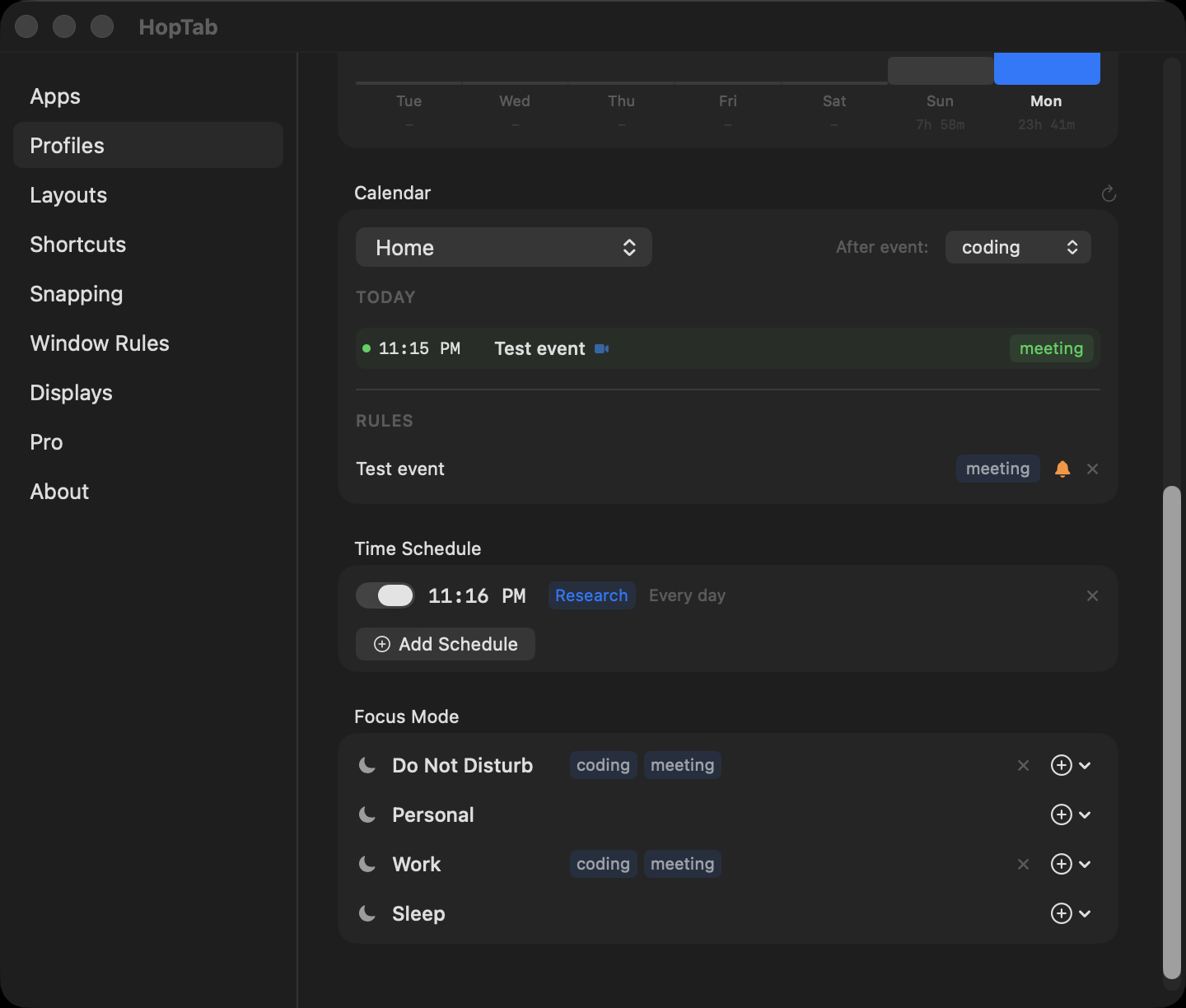
- Calendar auto-switch with fullscreen meeting reminders + one-click Join
- Time-based scheduling, day-of-week aware
- Focus-mode and display / dock auto-profiles
- Unlimited window rules
- Pomodoro on a calendar event — focused time logs back to it NEW
- Focus sessions + per-app usage budgets
- Time tracking per profile, zero effort
- Screen breaks + multi-level window undo
- Unlimited profiles (free tier has 3)
- Unlimited window rules (free tier has 2)
- Custom layouts with exact zone percentages
Free
Open source — everything you need
- ✓ App switching (Option+Tab)
- ✓ Window tiling (17 snap directions)
- ✓ Drag-to-snap (edges & corners)
- ✓ Snap size cycling & undo
- ✓ Move between monitors
- ✓ 5 built-in layout templates
- ✓ 3 profiles with hotkeys & sticky notes
- ✓ Session save/restore
- ✓ 2 window rules
- ✓ Configurable gaps
Pro
$5 one-time, lifetimeEverything in Free, plus automation
- ✓ Calendar auto-switch + meeting reminders
- ✓ Time-based scheduling
- ✓ Focus mode + display auto-profiles
- ✓ Time tracking + per-app budgets
- ✓ Focus sessions + event Pomodoro
- ✓ Screen breaks + multi-level window undo
- ✓ Unlimited profiles, rules & custom layouts
Student / can't afford it? Email [email protected] for a free Pro key. No questions asked.
How HopTab compares
vs the usual suspects| Capability | HopTab | Magnet | Moom | Rectangle | yabai |
|---|---|---|---|---|---|
| Window snapping & tiling | ✓ | ✓ | ✓ | ✓ | ✓ |
| Pinned-app switcher | ✓ | — | — | — | — |
| Profiles / workspaces | ✓ | — | — | — | — |
| Session save & restore | ✓ | — | partial | — | — |
| Calendar / Focus automation | ✓ | — | — | — | — |
| Time tracking & focus tools | ✓ | — | — | — | — |
| No config file needed | ✓ | ✓ | ✓ | ✓ | — |
| Open source | ✓ MIT | — | — | ✓ | ✓ |
| Price | Free / $5 | Paid | Paid | Free | Free |
What people say
From the community“A huge thank you for building HopTab — it’s genuinely replaced Cmd+Tab for me and I don’t miss it at all. A truly wonderful app and dev.”
“Awesome — great work on this.” After suggesting a Cmd+Tab replacement preset; it shipped in the next release.
“Using the custom shortcut it works fine and is perfect for me!” Asked for configurable shortcuts; got them.
FAQ
Good to knowIs HopTab free?
Yes. The whole core is free and open source (MIT). HopTab Pro is a $5 one-time unlock for the automation layer, with no subscription. Students and anyone who can’t afford it can email for a free Pro key.
How is it different from Magnet or Rectangle?
Those snap windows. HopTab also pins your apps for a focused switcher, switches whole workspaces (profiles) per desktop, and automates which profile is active around your calendar, Focus mode, and displays.
Do I need to configure it like yabai?
No. No config file, no scripting, no disabling SIP. Install it, grant Accessibility, press Option+Tab. You get keyboard-driven snapping, layouts, and profiles without the setup.
Does it work on Apple Silicon and Intel?
Yes. It’s a universal binary and runs on macOS 14 or later.
Is it a subscription?
Never. Pro is $5 once, for life. The free tier stays free forever.
Does it collect my data?
No telemetry, no tracking, no account. It’s open source, so you can read exactly what it does.
Why does it need Accessibility permission?
macOS only lets an app move and resize other apps’ windows, and capture global shortcuts, through the Accessibility API. Every window manager needs it.
Set it up in 30 seconds
Free and open source. Install with Homebrew, grant Accessibility, press Option+Tab. Pro is a $5 one-time unlock whenever you want the automation.
Keyboard Shortcuts
Default Bindings| Action | Shortcut |
|---|---|
| App Switcher | |
| Open & cycle forward | ⌥ + Tab |
| Cycle backward | ⇧ + ⌥ + Tab |
| Activate selected | Release ⌥ |
| Cancel | Esc |
| While Switcher Open | |
| Snap left / right / top / bottom | ← → ↑ ↓ |
| Quit / Hide / Minimize | ⌘+Q / ⌘+H / ⌘+M |
| Global Window Tiling | |
| Halves (left / right / top / bottom) | ⌃⌥ + ←→↑↓ |
| Quarters (TL / TR / BL / BR) | ⌃⌥ + UIJK |
| Thirds (first / center / last) | ⌃⌥ + DFG |
| Two-thirds (first / last) | ⌃⌥ + ET |
| Maximize / Center | ⌃⌥ + ⏎ / ⌃⌥ + C |
| Undo snap | ⌃⌥ + Z |
| Cycle next / previous position | ⌃⌥ + . / , |
| Drag-to-Snap | |
| Snap to left / right half | Drag to left / right edge |
| Maximize | Drag to top edge |
| Bottom half | Drag to bottom edge |
| Quarter snap | Drag to any corner |
| Monitors | |
| Next / Previous monitor | ⌃⌥⌘ + → / ← |
| Profiles | |
| Switch profile | ⌥ + ` |
Changelog
v1.5.0
In development- New Pomodoro on a calendar event — start a work/break cycle tied to a meeting or task; focused time logs back to that event, with a per-event breakdown in Time Tracking
v1.4.0
June 2026- New Focus sessions — timed deep-work blocks with a gentle nudge when you stray to an off-profile app
- New Screen-break reminders — workspace-aware break overlay that never interrupts a meeting
- New Per-app usage budgets — set a daily limit on any app and get nudged when you pass it
- New Multi-level window undo — step back through window position and size changes
- New hoptab:// URL scheme — deep links for profile switch, snap, undo, and focus session
- New In-app update feed with a menu-bar update banner
v1.2.0
April 2026- New Drag-to-snap — drag any window to a screen edge or corner to snap it with a translucent preview overlay
- New HopTab Pro tier — $5 one-time via Polar or GitHub Sponsors
- New Time tracking — automatic per-profile time tracking with zero effort
- New Calendar auto-switch — maps calendar events to profiles, detects Zoom/Teams/Meet links, fullscreen meeting reminder with Join button
- New Time-based scheduling — schedule profile switches by time of day with day-of-week filters
- New Focus mode integration — maps macOS Focus modes to profiles, supports multiple profiles per mode
- New Display auto-profiles — auto-switch profiles when monitors connect or disconnect
- New Window rules — define per-app snap rules on launch (2 free, unlimited with Pro)
- New Custom layouts with exact percentages (Pro)
- New Unlimited profiles (Pro, free tier gets 3)
v1.1.0
March 2026- New Space-aware window picker — only shows windows on your current Space, no more getting thrown to another desktop
- New Universal snap cycle shortcuts — ⌃⌥+. and , cycle through all 15 snap positions with smart position detection
- New Custom layout editor — split zones, use presets, build layouts for rotated monitors and non-standard setups
- New Display-aware session snapshots — separate window positions for laptop-only vs external monitor setups, auto-restores the right one
- New Cmd+Tab preset — one-click option to replace the macOS app switcher entirely
- Fix Assign app dropdown now works on macOS Sequoia
- Fix Window picker uses stable window IDs instead of fragile array indices
v1.0.1
March 2026- New Window tiling with global snap shortcuts
- New Global snap shortcuts for halves, thirds, quarters
- New Settings window fixes and improvements
Install
curl -sL "$(curl -s https://api.github.com/repos/royalbhati/HopTab/releases/latest | grep -o '"browser_download_url": *"[^"]*"' | head -1 | cut -d '"' -f 4)" -o /tmp/HopTab.zip && unzip -o /tmp/HopTab.zip -d /Applications && xattr -c /Applications/HopTab.app
Or download from GitHub Releases
System Settings → Privacy → Accessibility → enable HopTab
Pin some apps, set up profiles, start tiling